Exporting for BIM Software
Most BIM systems support the import of data using CAD files (e.g. .dwg, .dxf), so this is the best option for importing linework, such as earthworks definition boundaries, measurement positions, lengths and areas. You can do this by selecting File from the menu bar and then Export → CAD Data.
However, when it comes to the topography, things get a bit more complicated. Kubla Cubed uses TINS for calculating and storing topography. If a BIM program also supports TINS, it is the preferred method of importing data. However, some BIM systems do not support TIN. In such cases, they might accept points from the TIN but not the triangle data, resulting in changes to the imported surface. In situations where a BIM software does not support TIN, you can export the surfaces as either a high-density point cloud or contour lines.
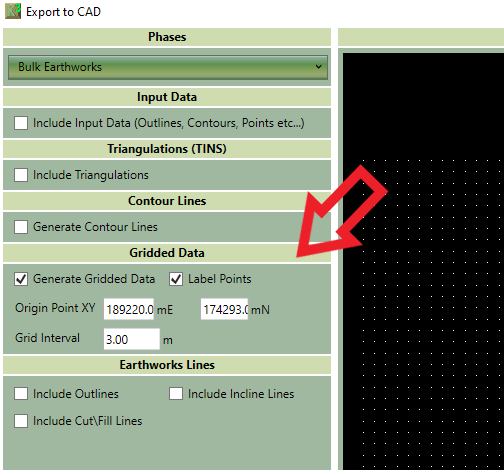
To do this, select the following options from File → Export → CAD Data screen to generate gridded points for integration into the BIM system. The image below shows which options to choose.