Create a Reduce Element for your Topsoil Strip
Stripping the Entire Site
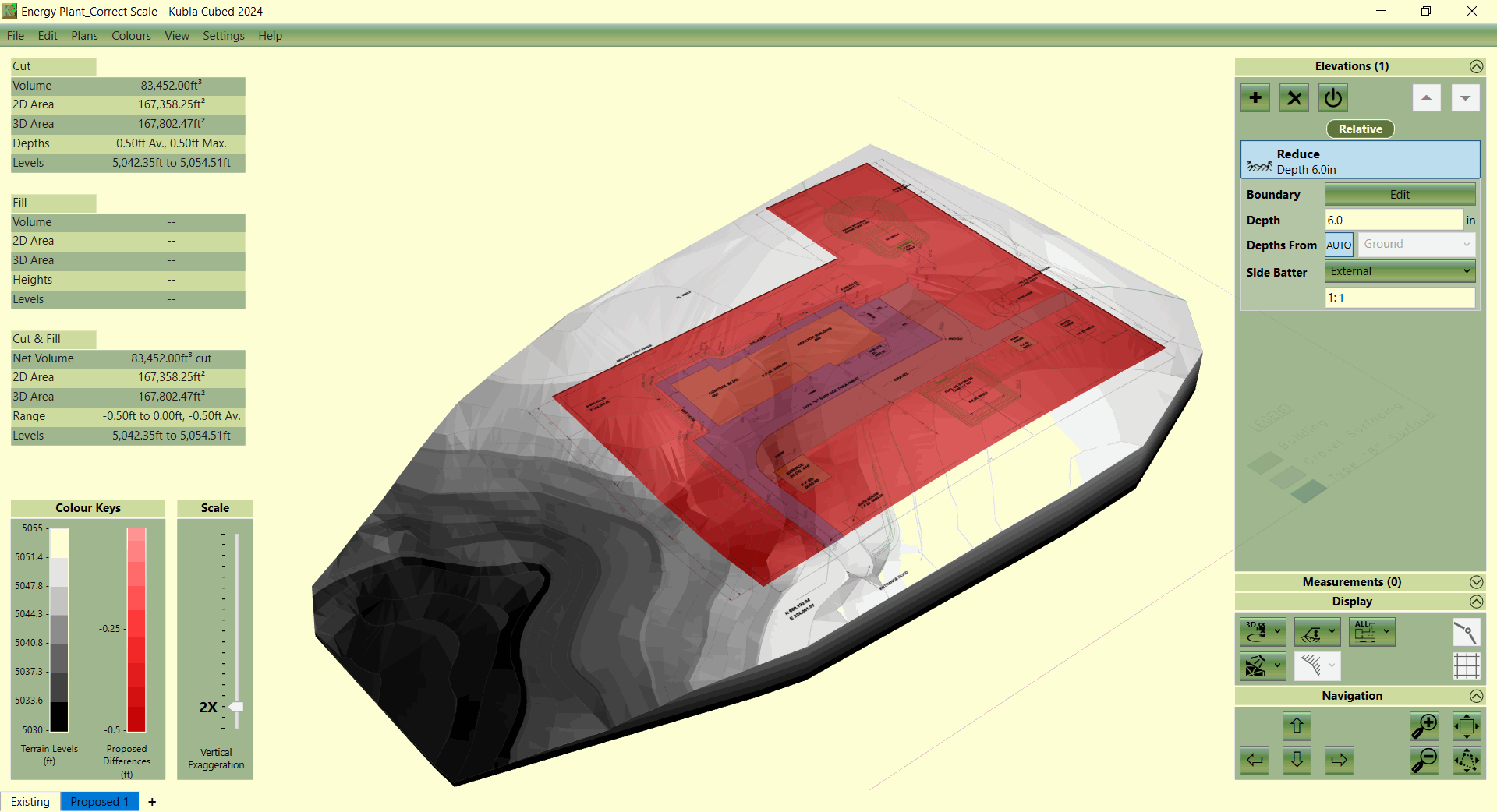
If you want to strip the entire site, you can simply draw the boundary beyond the extents of the existing ground surface. However, this work-flow is not recommended. We suggest having more existing ground than the disturbance area of your site as it produces better visualisations and makes it easier to spot errors at the disturbance area boundaries.
Strips in Different Areas
If you want to complete strips in different areas, a Reduce element allows you to define multiple outlines, as long as they do not intersect with each other. However, a single Reduce element can only have a single depth value. If there is requirement is to strip different areas by different amounts then multiple Reduce elements should be used.
Adjusting Side Batter
The side batter of topsoil strips are usually quite steep, so to reflect this, it might be a good idea to adjust the side batter angle from the default of 1:1 to something like 1:0.01 or even turn it off completely.
Create a New Phase
After the topsoil strip has been defined, it is worth reiterating that you need to create a new phase in order to calculate from the strip level to another level (e.g. formation/subgrade level). If you overlaid a Platform or Feature Surface over the top of the Reduce element in the same phase, the elevations from those elements would override the elevations of the strip (see Calculation Order). This is not what we want; we want those elevations to be calculated from the topsoil strip level so another phase is required to complete this operation.
What Happens when Reduce Elements Intersect?
If Reduce elements overlap, they will override each other. Where they intersect, the depth in the lower element in the calculation order will take precedence. This can be used to your advantage if there are two adjacent Reduce areas or an internal Reduce area. Instead of snapping the individual areas together, you can override them and decide which depths are used in the intersecting areas by changing the calculation order. This works as a Reduce element has the ‘Depths From’ property set to ‘Ground’ by default if there are no absolute elements above in the calculation order. It is not recommended to change these options from default or use absolute elements in a strip phase so the behaviour of Reduce elements overriding each other is consistent.